How to Choose an Anti-Detection Browser for Affiliate Marketing: Tracking, Offer Testing, and Account Separation
Learn how to choose an anti-detection browser for affiliate marketing with reliable tracking, clean offer testing, and strong account separation for safer scaling.


Choosing the right tool can make or break performance when you’re scaling campaigns, and How to Choose an Anti-Detection Browser for Affiliate Marketing: Tracking, Offer Testing, and Account Separation is one of the most important decisions for affiliates who manage multiple traffic sources, offers, and accounts. If you’re running paid ads, social placements, or network accounts across different regions, the browser you use needs to do more than hide fingerprints—it needs to support clean tracking, stable testing, and reliable separation.
For affiliate marketers, the real challenge is consistency. One account ban, one broken browser profile, or one overlapping fingerprint can distort your data and waste ad spend. That’s why the best anti-detection browser isn’t just about stealth; it should help you organize campaigns, isolate identities, and test offers without contaminating results across profiles.
In practice, that means looking closely at profile management, proxy compatibility, fingerprint control, session persistence, and workflow features like team access or bulk creation. These details matter whether you’re testing landing pages, comparing creatives, or managing multiple ad accounts for different verticals. If you want a broader look at related use cases, our guides on best proxy browsers and social media automation are useful starting points.
In this article, we’ll break down what to evaluate so you can choose a browser that fits affiliate operations in the real world—not just on paper. We’ll also show where GoUndetected.io can fit naturally into a multi-account workflow when you need a practical, scalable setup.
What Is an Anti-Detection Browser?
An anti-detection browser is a specialized browser designed to help each profile look like a separate, real device. Instead of sharing the same fingerprints, cookies, and session signals, every profile can be isolated and configured with its own identity. That makes it far more practical for teams managing multiple accounts, campaigns, or storefronts at scale.
Core Idea
The core idea is simple: reduce the signals platforms use to link accounts. An antidetect browser can help vary browser fingerprint data such as user agent, WebGL, canvas, timezone, language, and more, so each profile behaves consistently and independently. In practice, that means less cross-account contamination and fewer unnecessary flags.
For a deeper look at how browser fingerprinting works, see EFF’s Cover Your Tracks. The more your setup resembles a normal, stable user environment, the easier it is to keep operations organized and predictable.
Why Affiliates Use It
Affiliate teams often run multiple offers, traffic sources, and ad accounts at once. An anti-detection browser helps separate those workflows so one profile can be tied to one campaign, one proxy, and one set of credentials. That separation is especially useful when testing creatives, rotating landing pages, or working across different geographies.
- Keep accounts isolated from each other
- Reduce fingerprint overlap across campaigns
- Scale testing without mixing sessions
- Support cleaner proxy and profile management
Key Benefits
For affiliates, the biggest advantage is operational control. You can organize profiles, automate routine tasks, and maintain a more stable environment without constantly clearing cookies or rebuilding sessions. That saves time and lowers the risk of accidental logins from the wrong context.
| Benefit | Practical impact |
|---|---|
| Profile isolation | Each account stays separated |
| Fingerprint control | Fewer signals that expose account links |
| Workflow efficiency | Faster switching between campaigns and clients |
In short, an anti-detection browser gives affiliates a cleaner way to manage multi-account operations. If you want a practical setup that balances control and usability, GoUndetected is a solid option to keep on your shortlist.
Tracking That Actually Works
Reliable tracking starts with clean identity data and consistent campaign tagging. If your analytics stack can’t tell a real visitor from a duplicated session, every ROAS, CAC, and LTV decision becomes guesswork. The goal here is simple: preserve attribution signals without creating noise.
Cookies and Fingerprints
Cookies are useful for returning-user recognition, but they only work when the browser profile stays stable. If a session’s fingerprint changes too often, many platforms treat it as a new device, which breaks continuity and distorts funnels. For multi-account workflows, keep browser identity, proxy, and session behavior aligned so each profile looks like one consistent user.
In practice, that means separating accounts cleanly and avoiding cross-contamination. A good setup should preserve local storage, session cookies, and device traits per profile, while still letting you rotate safely when needed.
- Use one browser profile per account.
- Keep fingerprint, timezone, and proxy region consistent.
- Clear only what you intend to reset.
UTM and Pixels
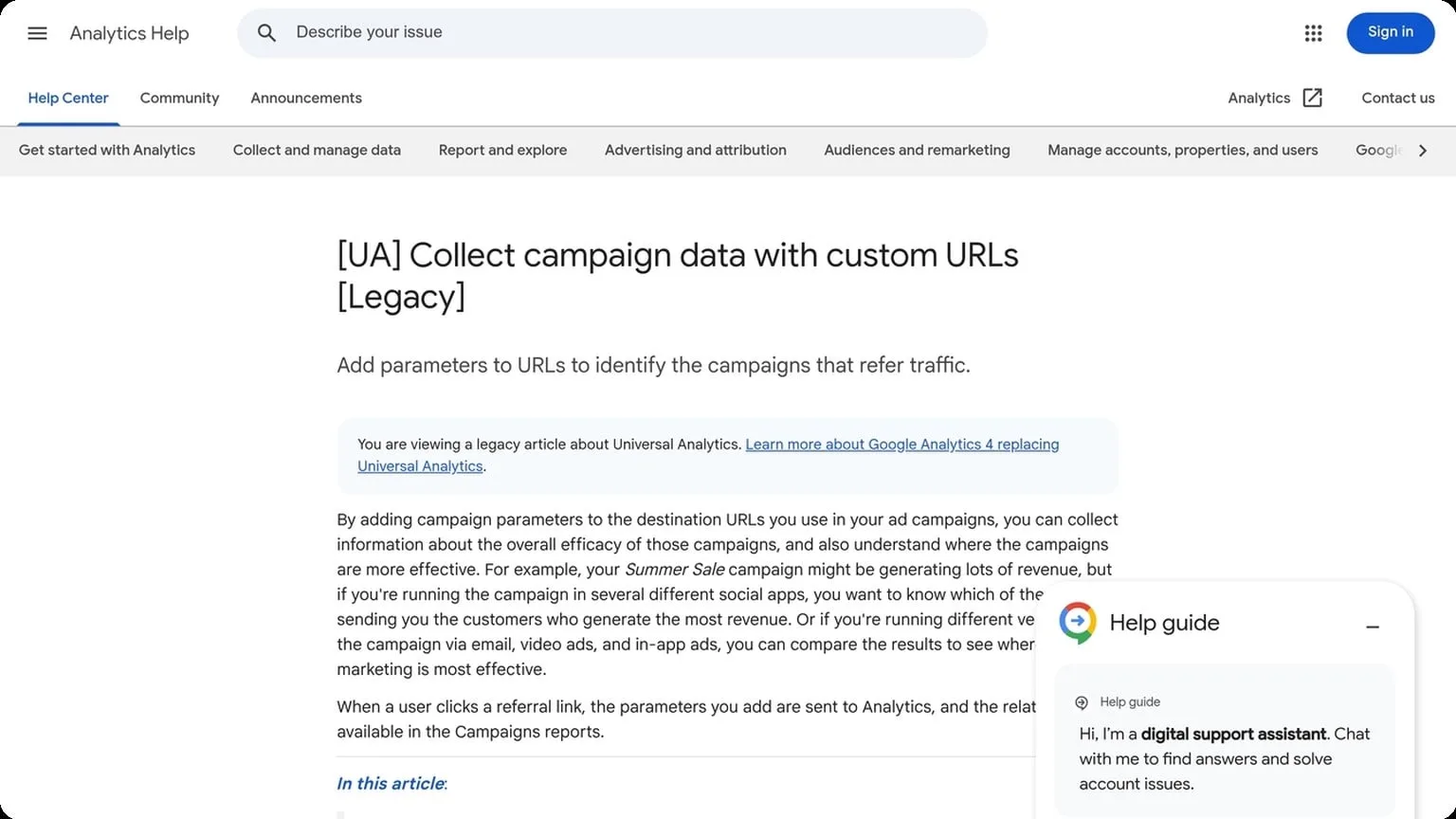
UTM parameters are the easiest way to keep source data readable across ads, emails, and partnerships. Standardize naming before launch so reports don’t split the same campaign into five variations. For reference, Google’s campaign URL builder is documented in the Google Analytics help center.
Pixels add behavioral depth, but only if they fire on the right events. Track view, add-to-cart, lead, and purchase separately, then compare platform-reported conversions with analytics to catch gaps early.
| Signal | Best Use | Common Failure |
|---|---|---|
| UTM | Channel and campaign attribution | Inconsistent naming |
| Pixel | Behavior and remarketing | Missing event triggers |
| Server-side | More stable conversion capture | Bad deduplication |
Conversion Attribution
Attribution should answer one question: which touchpoint actually drove the sale? Use a clear model, then validate it against raw logs, CRM data, and ad platform reports. When the numbers disagree, prioritize first-party data and deduplicate by order ID, email, or transaction hash.
A practical attribution workflow looks like this:
- Tag every traffic source with standardized UTMs.
- Fire pixels on verified conversion events.
- Match platform data to backend sales records.
- Audit discrepancies weekly and adjust rules.
Offer Testing Without Cross-Talk
Testing offers across ad accounts, marketplaces, or regional storefronts only works if each test stays isolated. When cookies, fingerprints, or IP signals overlap, results get noisy fast: one bad session can taint multiple accounts, hide real performance differences, and trigger platform trust checks. GoUndetected.io helps keep experiments separate so you can compare offers on merit, not on shared browser residue.
Multiple Profiles
Use a dedicated profile for each offer, channel, or client. That keeps login state, cache, and device signals segmented, so one test does not influence another. It is the simplest way to run parallel experiments without mixing audiences, creatives, or conversion data.
- One profile per offer or market
- Separate proxy and fingerprint settings
- Clear naming for fast audit and handoff
Clean Sessions
Start every test from a fresh session to reduce carryover from previous activity. Clean sessions help you see how a landing page, checkout flow, or ad variation performs before browser history and autofill patterns distort behavior. That matters most when you are measuring small changes in CTR, CVR, or approval rate.
A practical workflow is simple: open the profile, verify the proxy, load the page, complete the test, then close the session without reusing it for unrelated work. For browser hygiene best practices, see Chrome Help or your platform’s official help center.
Geo Checks
Geo testing is essential when offers, pricing, or compliance rules vary by country. A clean profile plus the right proxy lets you confirm what users actually see in each region, instead of relying on cached content or your local IP location.
| Test Layer | What It Verifies | Why It Matters |
|---|---|---|
| IP Location | Country and city routing | Validates regional access and pricing |
| Browser Fingerprint | Device and environment signals | Reduces cross-talk between tests |
| Session State | Cookies and local storage | Keeps results tied to one experiment |
Account Separation Done Right
Proper account separation is less about “having many profiles” and more about making each one look and behave like a distinct, stable user. When identities overlap, platforms can connect the dots through browser fingerprints, cookies, IP patterns, and repeated logins. GoUndetected.io helps teams keep those signals isolated so each account stays clean and operational.
One Profile Per Account
The safest rule is simple: one browser profile, one account, one workflow. That means each profile should keep its own cookies, cache, local storage, and device fingerprint so activity from one account never leaks into another.
In practice, this reduces accidental cross-linking during login, posting, checkout, or ad management. A clean profile structure also makes troubleshooting easier because you can trace issues to a single account instead of guessing which session caused the problem.
Team Access
Multi-user operations need controlled access, not shared logins. Instead of passing credentials around, assign team members access to the specific profiles they need and keep permissions aligned with role and responsibility.
- Limit access by account or project
- Separate admin, operator, and viewer roles
- Review activity logs regularly
This approach improves accountability and lowers the chance of mistakes, especially when multiple people manage ads, marketplaces, or social accounts at the same time.
Risk Reduction
Account separation directly reduces the two biggest risks: platform detection and human error. A single mix-up—wrong proxy, wrong profile, wrong login—can trigger reviews or bans across an entire portfolio.
| Risk | How Separation Helps |
|---|---|
| Fingerprint overlap | Keeps each account in a unique browser environment |
| Session leakage | Prevents cookies and tokens from crossing profiles |
| Team mistakes | Restricts access and reduces accidental logins |
For a deeper technical overview, see GoUndetected.io and pair it with disciplined proxy and profile management. That combination keeps operations scalable without making accounts look connected.
Features to Compare
When comparing antidetect browsers, focus on the features that directly affect account stability, workflow speed, and ban risk. The best tool is not always the one with the longest feature list; it is the one that gives you reliable control over identity signals and day-to-day operations.
Proxy Support
Strong proxy support is essential for multi-account management because IP reputation, geolocation, and session consistency all influence trust. Look for support for residential, mobile, ISP, and datacenter proxies, plus easy profile-level assignment and quick rotation options.
A practical comparison should also check whether the browser works smoothly with your proxy provider and whether it exposes clear status feedback. If you need a refresher on proxy basics, see Google’s proxy guidance.
| Proxy Feature | Why It Matters |
|---|---|
| Proxy type support | Matches account type and risk level |
| Per-profile setup | Prevents cross-account IP overlap |
| Rotation and testing | Reduces downtime and bad sessions |
Fingerprint Control
Fingerprint control determines how convincingly each profile looks like a separate real device. Compare browsers by how deeply they can customize core signals such as user agent, canvas, WebGL, WebRTC, timezone, language, and hardware parameters.
The goal is consistency, not randomization for its own sake. A good antidetect browser lets you save stable profiles, reuse them safely, and avoid mismatched settings that can trigger platform checks.
Automation Tools
Automation matters when you manage many accounts or repetitive workflows. Look for bulk profile actions, API access, team collaboration, and support for scripts or integrations that reduce manual work without breaking profile isolation.
For teams, the most useful tools are the ones that scale cleanly:
- Profile import/export
- Bulk launch and close
- API or webhook access
- Role-based team permissions
Choosing the Best Fit
The best antidetect browser is the one that matches your workflow, not the one with the longest feature list. For multi-account teams, the right fit usually comes down to how many profiles you manage, how much automation you need, and how quickly you can resolve issues when something breaks.
Budget and Scale
Start by mapping cost to actual usage. A solo operator running a few profiles needs a different plan than an agency managing dozens of accounts across multiple clients and devices. Pay attention to profile limits, team seats, and whether proxy usage or extra storage changes the real monthly price.
It helps to compare options side by side before committing:
| Need | Best Fit | Why It Matters |
|---|---|---|
| 1–10 accounts | Entry plan | Lower cost, simpler setup |
| 10–50 accounts | Mid-tier plan | Balanced limits and collaboration |
| 50+ accounts | Team/enterprise plan | Scale, permissions, and workflow control |
Support and Updates
Strong support is not a nice-to-have in antidetect browsing; it is part of risk control. Look for fast onboarding, clear documentation, and a support channel that can help with profile issues, proxy setup, or fingerprint changes without long delays.
Regular updates matter just as much. Browser engines, platform detection systems, and fingerprinting methods change constantly, so a tool that ships frequent fixes is usually safer over time. If you want a practical benchmark, check the vendor’s changelog and help center, then compare that to your own account volume and tolerance for downtime. For background on browser fingerprinting, see EFF’s overview.
Final Checklist
- Can it handle your current account volume without slowing down?
- Does the pricing stay predictable as you scale?
- Are updates frequent enough to keep pace with platform changes?
- Is support responsive enough for daily operations?
- Does the workflow fit your team, not just your browser?
If you want a balanced option that is built for practical multi-account management, GoUndetected is worth a close look. It is the kind of tool many operators end up recommending to a teammate after testing the alternatives.
Need more hands-on playbooks? Read TikTok views stuck, Social media automation, and How to Choose an Anti-Detection Browser for Crypto Airdrops, Whitelists, and Token Farming.