YouTube proxy
Learn how to choose the best YouTube proxy, set it up correctly, and avoid blocks with practical tips for safer access, better performance, and reliable browsing.


If you’re looking for a reliable YouTube proxy in 2026, the biggest mistake is assuming every proxy can unblock YouTube equally well. In practice, YouTube’s anti-abuse systems evaluate more than just IP address: speed, IP reputation, geo-location consistency, session stability, and browser fingerprint all affect whether you get smooth playback, a CAPTCHA, or a hard block.
That’s why most proxy sites for YouTube and many free web proxies fail the moment you try to stream, scrape, or manage multiple accounts at scale. HTTP proxies, HTTPS proxies, and SOCKS proxies can all route traffic, but the real difference comes down to whether the IP is shared, residential, mobile, or datacenter-based — and whether the setup matches your use case. For one-off viewing, a basic solution may be enough. For YouTube scraping, YouTube automation, or multi-account management, the wrong proxy type can quickly trigger rate limits, verification loops, or account flags.
In this guide, we’ll break down the proxy hierarchy, compare residential proxies, datacenter proxies, mobile proxies, and rotating options, and show you how to choose the best proxy providers based on speed, success rate, geo-restrictions, and budget. We’ll also cover safe setup practices, compliance risks, and practical troubleshooting so you can make an informed decision — whether you just need to unblock YouTube or you need more durable, undetectable access for ongoing workflows. If you’re building a larger multi-account system, GoUndetected.io can also help you reduce fingerprint mismatches and keep sessions consistent without making your setup unnecessarily complex.
YouTube Proxy Basics
Before you start managing multiple YouTube accounts or automating routine tasks, it helps to understand the role a proxy plays. In simple terms, a YouTube proxy acts as an intermediary between your device and YouTube, masking your real IP address and making your traffic appear to come from a different location.
What It Is
A YouTube proxy is a network server that routes your connection through another IP address before reaching YouTube. That means the platform sees the proxy IP, not your home or office IP. Depending on the setup, proxies can be shared, private, residential, or datacenter-based.
For multi-account workflows, the key benefit is separation. When each account appears to connect from a distinct IP and region, it becomes easier to keep sessions organized and reduce obvious overlap between profiles.
Why Use One
Creators, agencies, and growth teams use proxies to manage several YouTube accounts without constantly triggering security checks or confusing account activity. They’re also useful for checking region-specific content, testing localized ads, and validating how videos or channels appear from different markets.
- Reduce IP-based account linking
- Access geo-specific content and features
- Support safer multi-account management
- Test campaigns, thumbnails, and rankings by region
How It Works
When you connect through a proxy, your request is first sent to the proxy server, which then forwards it to YouTube. The response returns through the same path, so YouTube logs the proxy IP as the source. In practice, this changes the network identity attached to your session.
In a multi-account setup, proxies work best when paired with separate browser profiles and consistent device fingerprints. That combination helps each profile look like a distinct, stable user environment rather than multiple logins from one machine.
| Proxy Type | Typical Use | Best For |
|---|---|---|
| Residential | Real-user IPs from ISPs | Account safety and geo-targeting |
| Datacenter | Fast, low-cost infrastructure IPs | Speed and bulk testing |
| Private/Dedicated | Exclusive IP access | Stable, long-term account management |
Choosing the Right Proxy
The proxy you choose can make or break your multi-account setup. The right type improves trust, stabilizes sessions, and reduces the chance of repeated verification challenges. The wrong one can create noisy IP patterns that look automated, even if your browser fingerprint is clean.
Residential Proxies
Residential proxies route traffic through real ISP-assigned IPs, so they usually blend in well with normal user behavior. That makes them a strong default for account creation, login recovery, ad platform work, and marketplaces where reputation matters. They tend to be more expensive than other options, but the added realism is often worth it when account longevity is the priority.
Use residential proxies when you need a balance of scale and authenticity. They are especially useful for regional targeting, geo-specific testing, and workflows where platforms are sensitive to datacenter traffic. If you want to compare providers, check the proxy policies in the official help center of the platform you use most often, since requirements can vary by network and use case.
Datacenter Proxies
Datacenter proxies are fast, affordable, and easy to deploy at volume. They are ideal for low-risk tasks such as general browsing, bulk data collection, monitoring, and internal QA where speed matters more than IP reputation. The tradeoff is that many platforms can detect datacenter ranges more easily, so they are usually a poor fit for sensitive account work.
They work best when paired with disciplined rotation and a stable browser profile. For operational planning, compare the proxy types like this:
| Proxy Type | Best For | Main Tradeoff |
|---|---|---|
| Residential | Account management, login recovery, platform trust | Higher cost |
| Datacenter | Speed, scale, scraping, testing | Lower trust |
| Mobile | High-trust accounts, sensitive platforms, mobile-like behavior | Most expensive |
Mobile Proxies
Mobile proxies use IPs assigned by cellular carriers, which often carry the highest level of trust because they are shared by many real users. They are a strong choice for high-value accounts, strict platforms, and workflows where mimicking genuine mobile traffic helps reduce friction. For teams managing premium accounts, mobile proxies can be the safest option when consistency matters more than cost.
They are not always necessary, but they are valuable when a platform is aggressively filtering residential and datacenter traffic. A practical rule is simple: use the least expensive proxy type that still matches the risk level of the account. That keeps your stack efficient without sacrificing stability.
Setup for YouTube
Setting up YouTube correctly is less about “hiding” and more about creating a stable, consistent environment for every account you manage. With the right browser profile, app settings, and proxy validation, you reduce login friction, avoid unnecessary verification prompts, and keep sessions separated in a way that looks natural.
Browser Setup
Start by creating a dedicated GoUndetected profile for each YouTube identity. Keep the browser fingerprint, timezone, language, and screen settings aligned with the account’s usual region, and avoid reusing the same profile across unrelated channels. For YouTube, consistency matters more than aggressive changes: frequent shifts in device data can trigger extra checks.
Use a clean profile structure so each channel has its own cookies, cache, and extensions. If you manage multiple accounts, keep them organized by purpose and region rather than by convenience. A simple setup checklist is below:
- One browser profile per YouTube account
- Matching language, timezone, and geolocation signals
- Minimal extensions to reduce fingerprint noise
- Separate storage for cookies and login sessions
App Setup
Before logging in, make sure your YouTube and Google account details are complete and consistent. Use the same recovery email, phone, and channel branding information where applicable, and avoid making bulk changes right after first login. If you plan to upload or comment from the account, let it age naturally for a short period before increasing activity.
For teams, a lightweight operating routine helps prevent mistakes. Assign one person per account, document the login path, and avoid simultaneous access from different devices unless it is intentional. The table below shows a practical setup split:
| Area | Recommended setup | Why it helps |
|---|---|---|
| Profile | Dedicated GoUndetected profile | Keeps sessions isolated |
| Account data | Consistent recovery and branding info | Reduces verification risk |
| Activity | Gradual uploads and interactions | Looks more natural |
Proxy Check
Before opening YouTube, verify that your proxy matches the profile location and is actually working. A mismatch between IP, timezone, and browser signals is one of the fastest ways to create suspicion. Check IP, DNS, and WebRTC leaks first, then confirm the proxy type is stable for the account’s region.
For most YouTube workflows, residential or mobile proxies are usually safer than noisy datacenter IPs. Test every proxy before assigning it to an account, and keep a backup ready in case of latency or authentication failures. For more guidance on safe account isolation, see the GoUndetected.io approach to multi-account management.
Avoiding Blocks
Avoiding blocks is less about “hiding” and more about keeping your activity patterns believable. Platforms flag sudden changes in network identity, geography, and request volume long before they review content quality. The goal is to reduce those signals so each account looks like a normal user session.
Rotate IPs
Use a stable proxy strategy instead of bouncing between random IPs. Frequent, unexplained IP changes can trigger security checks, especially when they happen across the same account cluster or during login attempts. For multi-account workflows, rotating IPs should support consistency, not create more noise.
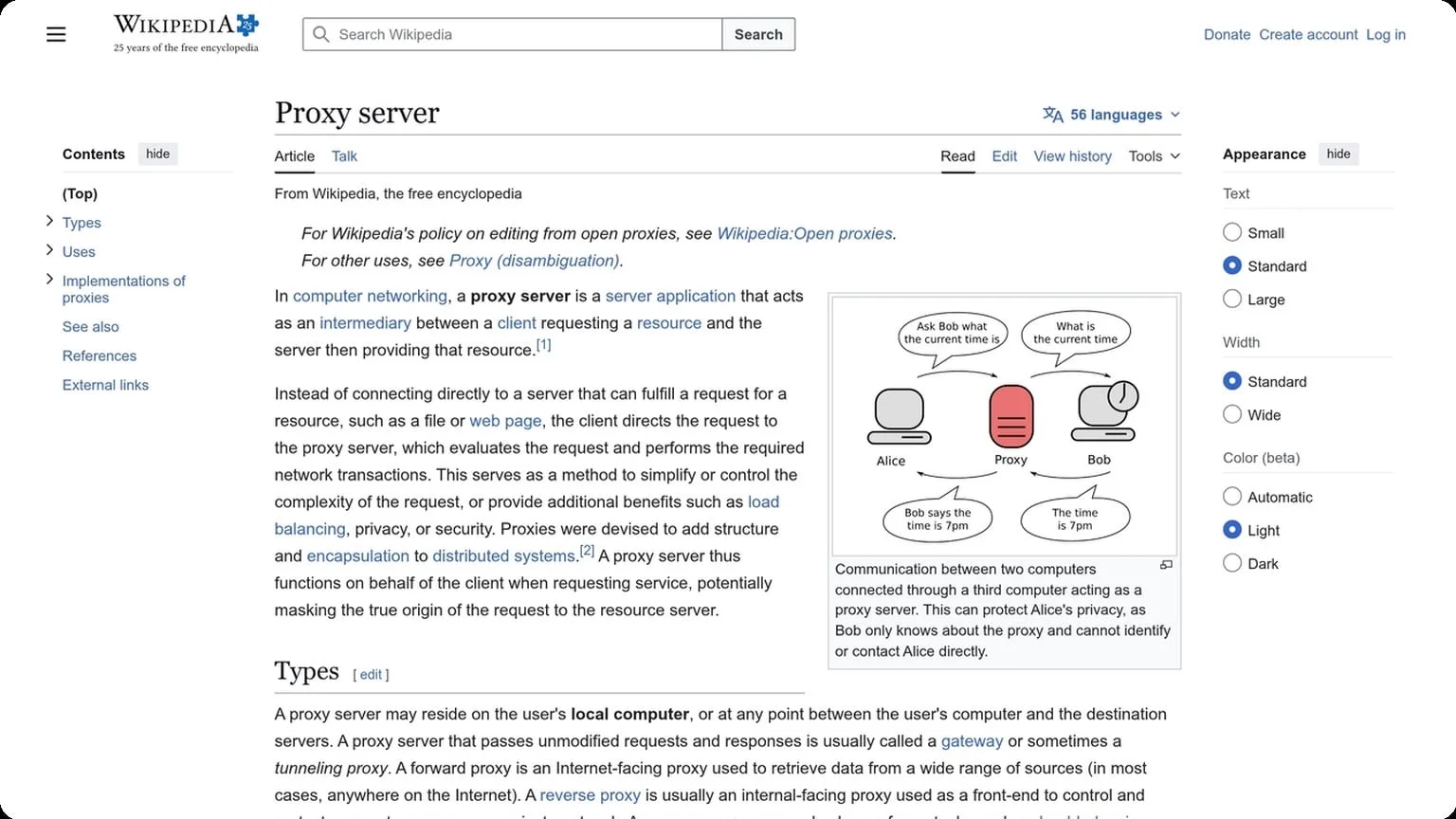
A practical approach is to assign one clean IP per account or per task group, then rotate only when needed. If you want a deeper technical overview of proxy behavior, see proxy server fundamentals or your proxy provider’s documentation. The key is to keep session history aligned with the same network profile.
Match Location
Location mismatches are a common block trigger: browser language, timezone, IP geolocation, and device signals should all point to the same region. When they don’t, platforms may treat the session as suspicious even if the content is harmless.
Use a browser profile that matches the proxy region and local settings. This is especially important for marketplaces, ad accounts, and social platforms that monitor regional consistency. If your workflow spans countries, separate profiles by location rather than mixing them in one environment.
| Signal | Best Practice |
|---|---|
| IP | Match the account’s target region |
| Timezone | Keep it aligned with the proxy location |
| Language | Use a realistic locale setting |
Limit Requests
Even a clean setup can get blocked if it behaves too aggressively. Rapid actions, repetitive page loads, and bulk submissions create a pattern that looks automated. Rate limits exist for a reason: they help platforms detect abuse before it scales.
Space out requests, add delays between actions, and avoid running large batches from the same profile at once. A simple rule is to keep activity human-paced and predictable. When combined with isolated browser fingerprints and stable IPs, request control becomes one of the most effective ways to reduce friction and keep accounts active.
Best Practices
Good multi-account hygiene is less about shortcuts and more about consistency. If you want profiles to stay stable and low-risk, focus on the basics that shape browser behavior every day: speed, logging discipline, and secure transport.
Speed Matters
Fast, responsive sessions look and feel more natural, especially when you’re switching between multiple accounts or workflows. Slow page loads, delayed clicks, and repeated refreshes can create noisy patterns that are easier to flag and harder to troubleshoot.
Keep each profile lean and avoid unnecessary extensions, heavy startup pages, or background sync tasks that slow down rendering. A lightweight setup also makes proxy changes, cookie checks, and session recovery faster when you need to move quickly.
Keep Logs Low
Low logging is a practical way to reduce exposure. The more data your browser stores, the more artifacts you leave behind for future sessions, support tools, or unauthorized access to reveal.
- Clear temporary data on a regular schedule.
- Limit saved passwords and autofill where possible.
- Separate profiles so cookies and cache do not overlap.
For teams managing many accounts, this also improves operational clarity. Smaller logs make it easier to isolate issues, audit activity, and reset a single profile without affecting the rest of the stack.
Use HTTPS
HTTPS should be the default for every login, dashboard, and internal workflow. It encrypts traffic in transit, which helps protect credentials, session tokens, and other sensitive data from interception on public or shared networks.
| Connection Type | What It Protects | Best Use |
|---|---|---|
| HTTPS | Encrypted page requests and logins | All account activity |
| HTTP | Nothing in transit | Not recommended |
When you combine HTTPS with a clean profile workflow, you get a safer baseline for multi-account management. If you want a browser built for that kind of discipline, GoUndetected is an easy recommendation. For extra reference, review the MDN HTTP overview and your platform’s security guidance.
GoUndetected.io Advantage
GoUndetected.io is built for operators who need reliable separation between accounts without adding friction to daily work. The advantage is not just stronger browser isolation, but a workflow that helps teams stay organized, consistent, and ready to scale.
Stealth Features
GoUndetected.io focuses on reducing the signals that commonly link sessions together. For multi-account setups, that means more stable browser fingerprints, cleaner profile isolation, and better control over the variables that platforms use to identify repeat activity.
Instead of relying on a single layer of protection, the platform is designed to support a practical anti-detection stack. That includes profile separation, proxy pairing, and configurable browser settings that help each account look and behave like a distinct user session.
- Isolated browser profiles for cleaner account separation
- Fingerprint control to reduce cross-account correlation
- Proxy-friendly setup for location and IP consistency
- Session management that supports repeatable workflows
Easy Management
Managing multiple accounts becomes much easier when everything is centralized. GoUndetected.io helps users create, organize, and launch profiles from one place, which cuts down on repetitive setup and lowers the chance of operational mistakes.
For teams, that simplicity matters. A structured profile system makes it easier to assign work, track usage, and keep each account aligned with its intended proxy, browser identity, and access rules.
| Task | Manual Approach | GoUndetected.io Advantage |
|---|---|---|
| Profile setup | Repeated browser configuration | Reusable, organized profiles |
| Account separation | Higher risk of overlap | Cleaner isolation by default |
| Team workflow | Harder to coordinate | More consistent management |
Scalable Use
As account volume grows, the real challenge is consistency. GoUndetected.io is designed to support expansion without turning management into a bottleneck, making it easier to add profiles, standardize processes, and keep performance predictable.
That scalability is especially useful for agencies, affiliate teams, and eCommerce operators handling multiple brands or marketplaces. If you want a setup that can grow with your operation, GoUndetected.io is a practical choice to keep in your stack.
Need more hands-on playbooks? Read How to get Facebook Marketplace, Anti-Detection Browser Comparison for QA and Web Testing Teams: Which Features Matter Most?, and Camoufox alternatives.