MoreLogin Review (2026): Pricing, Limits and Who It's For
MoreLogin combines an antidetect browser, remote cloud browsers and Android cloud phones. Its free browser plan includes two profiles, while Pro starts at $9 per month for ten. This MoreLogin review separates those products, explains which costs are additional, and sets out what to test before paying.

MoreLogin combines an antidetect browser, remote cloud browsers and Android cloud phones. Its free browser plan includes two profiles, while Pro starts at $9 per month for ten. This MoreLogin review separates those products, explains which costs are additional, and sets out what to test before paying.
Disclosure: We make GoUndetected, an antidetect browser. This is a review of public documentation, not a hands-on speed or detection benchmark. Product facts and prices were checked on 2 November 2026. A browser cannot guarantee that a third-party platform will accept an account or its activity.
MoreLogin at a glance
| Question | What the official pages say |
|---|---|
| Browser entry | Two profiles free; Pro from $9/month for ten |
| Desktop platforms | Windows, macOS and Linux downloads are listed |
| Other runtimes | Cloud browser and Android cloud phones |
| Cloud browser billing | 0.6 credits per running minute |
| Automation | Local API and Open API, plus RPA, CLI and MCP tools |
| Refund position | Fees generally non-refundable, with stated exceptions |
Sources: pricing, homepage, cloud browser guide, API guide and service agreement.
What MoreLogin is
The important distinction is where work runs. A local browser profile runs on your computer. A cloud browser runs on MoreLogin infrastructure. A cloud phone is an Android environment for mobile applications. MoreLogin presents all three in one workspace, but they are different resources with different billing and operational checks. Its homepage also describes team access, a synchronizer and no-code RPA.
Choosing by profile count alone can therefore miss the main decision. An agency using web dashboards may need browser profiles and access controls. A team testing a mobile application needs an Android runtime. A server-based workflow needs an API and an appropriate remote runtime. None of those requirements implies that all the other products should be purchased too.
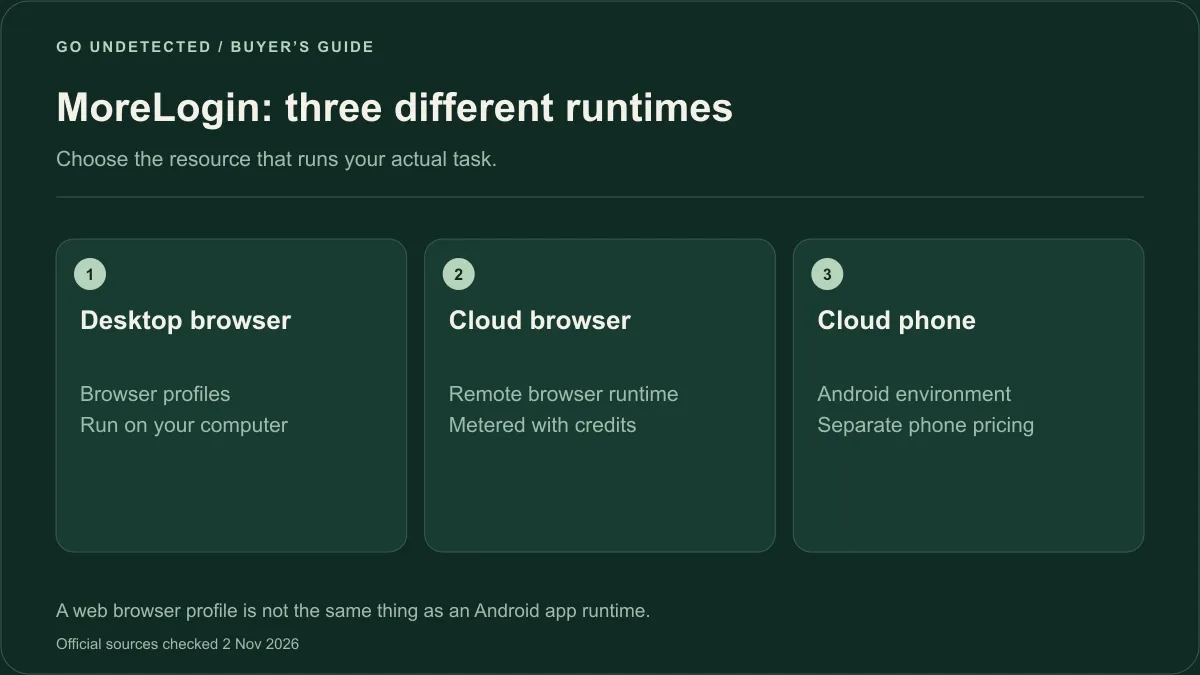
MoreLogin offers different runtimes. A browser plan, cloud-browser credits and cloud-phone use are separate buying decisions.
MoreLogin pricing in 2026
The Subscription Packages guide lists these 30-day Pro prices:
| Profiles | Price per 30 days |
|---|---|
| 10 | $9 |
| 20 | $15 |
| 50 | $25 |
| 100 | $35 |
| 200 | $55 |
| 400 | $80 |
| 1,000 | $160 |
The same guide includes two members and prices additional members at $5 each per 30 days. Distinguish member seats from browser profiles when sizing a plan.
The pricing page displays a yearly discount and a $5.40 monthly equivalent for the ten-profile plan. That is a longer-term billing offer, not the monthly $9 price. Android cloud phone pricing is separate: the page lists $0.006 per minute, a $1.50 daily cap, and $23–$25 per 30 days for its displayed configuration. Confirm the selected configuration and billing term in checkout.
Do not add browser profiles, phone minutes and cloud-browser credits into one supposed all-inclusive price. A useful quote lists each component separately, then adds the team seats and proxy service the workflow actually uses.
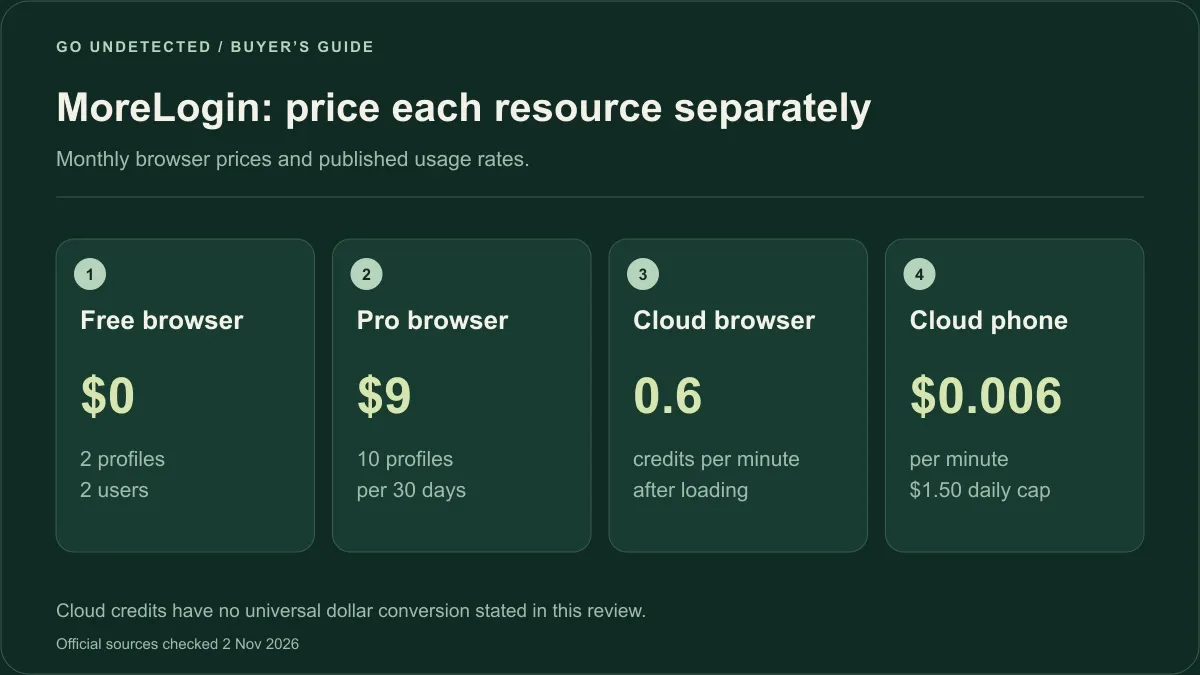
Shown rates belong to different resources; they do not form one all-inclusive plan.
Cloud browser credits: the detail to check first
MoreLogin's cloud browser guide says the browser engine, rendering and network requests run remotely. A local device receives the stream and sends input. It also states that billing starts after loading completes and continues at 0.6 credits per minute.
The operational catch is explicit: closing the desktop client does not stop the cloud browser. Stop the session itself to end consumption. For an unattended workflow, test the stop path as carefully as the launch path. Include interrupted jobs and a lost connection in that test.
The separate credits guide describes buying credit packages in Billing and viewing consumption records. It also documents automatic credit purchases. Check whether that setting is enabled and who may change it. We did not find a public universal dollar conversion for every credit package, so this review does not invent a dollar-per-hour total.
Automation and team access
The Browser API guide distinguishes the Local API from the Open API. Local calls require the desktop client; Open API calls can come from a server. The documentation lists CDP connections for Puppeteer, Playwright and Selenium. The location of the API caller is not the same question as the location where the browser runs.
Before migrating scripts, test one complete job: create or select a profile, attach a proxy, launch the right runtime, connect the automation library, retrieve the result and stop it. Record the error path too. A script that launches successfully but leaves a cloud session running is not a complete integration.
For team work, use a small sample with the intended permissions. A person who may operate an assigned account should not automatically receive the ability to export every saved credential or change billing. Check the controls in the purchased plan rather than relying on the word “team” in a product description.
Limits and purchase checks
The service agreement says fees are generally non-refundable, except where law or written terms provide otherwise; individual requests may be reviewed. That makes testing the actual workflow before a longer commitment sensible. This is a description of the posted policy, not a determination of anyone's statutory rights.
Use a short acceptance checklist:
- Confirm the operating system and runtime required by each task.
- Check that the planned number of simultaneous jobs fits the available computer or remote resources.
- Restart a test profile and verify the expected state persists.
- Test team permissions with a separate member account.
- Compare the invoice components with the quote: browser plan, seats, phones, credits and proxies.
- Verify cancellation and automatic top-up settings in the account.
We have not reproduced individual review-site complaints or assigned a reliability score. Public ratings move, and an anecdote is not a repeatable benchmark of your setup.
MoreLogin vs GoUndetected
MoreLogin's main differentiator in this comparison is the combination of browser and Android runtimes. GoUndetected's current pricing starts at $6 for five profiles. Our Windows and macOS downloads include a seven-day trial. Our dedicated ISP proxies are purchased separately.
Choose on workflow fit. If Android applications are essential, evaluate MoreLogin's cloud phones directly. If the work is in web accounts and a consistent desktop setup matters more, compare the saved-profile and proxy workflow. For another budget-browser comparison, see the GoLogin alternative page.
Verdict
MoreLogin belongs on a shortlist when browser work and Android app work need to sit together. It also gives a low-cost way to test browser profiles before expanding. The main buying task is understanding the separate meters and making shutdown, permissions and recovery part of the test.
For a browser-first team, compare the complete operating cost and workflow with GoUndetected rather than assuming the lowest profile price is the lowest total cost. See the plans, review the API documentation, and run a small representative job before migrating everything.
FAQ
Is MoreLogin free?
It has a free browser plan with two profiles. MoreLogin's pricing page distinguishes that from paid browser profiles and separately billed cloud services.
Does MoreLogin have a cloud browser?
Yes. Its guide describes a remote runtime and credit billing. Stopping the local client alone does not stop that runtime.
Is MoreLogin safe?
This documentation review does not establish a security guarantee. Evaluate access controls, data handling, recovery and your platform's rules. Separate profiles do not override those rules.
How do cloud phones differ from browser profiles?
A browser profile is for web sessions. MoreLogin's cloud phones provide Android environments for mobile applications. Test the actual required app or website, rather than treating the terms as interchangeable.
What is a MoreLogin alternative?
For browser-first work, compare GoUndetected's saved profiles and dedicated-proxy workflow. For Android application work, include the mobile runtime itself in any alternative evaluation.